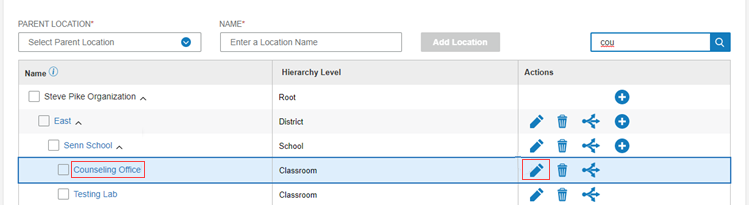
1. On the Organization Management menu, select Locations.
2. Click the Organization tab.
3. Find the location you want to edit (see Organization - Find Locations).
4. To open the Edit Location window, do one of the following:
– Click the name of the location in the Name column.
– Click the Edit icon on the row of the location you want to edit.
The Edit Location box opens.
Note: You can also move the location in this window. See Organization - Move locations.
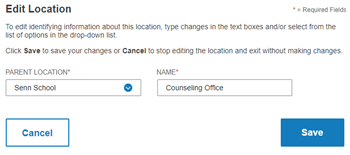
5. In the Name field, type the new name
6. Click Save. The new name appears in the Name column.