Top
of Test Page detail
Top
of Test Page detail
Add the test record if it has not yet been added. See Add Test Records.
To find the examinee and open the Examinee Information page, see Search for Examinees.
1. Open the test record from the Examinee Information page by clicking the item in the Test/Checklist column you want to open.
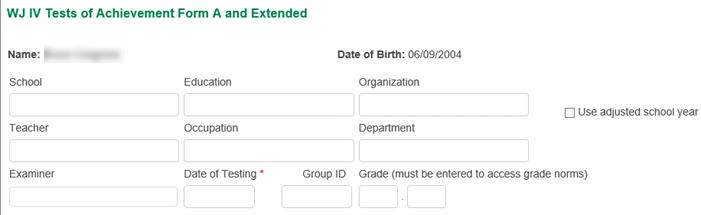
2. Enter the data at the top of the page for tests. For checklists, complete the identifying information and checklist data.
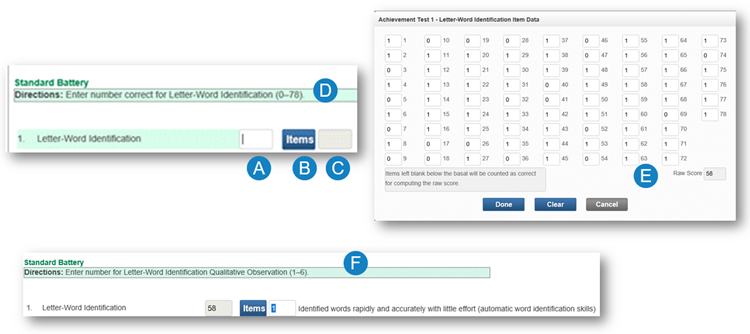
3. Score the test items.
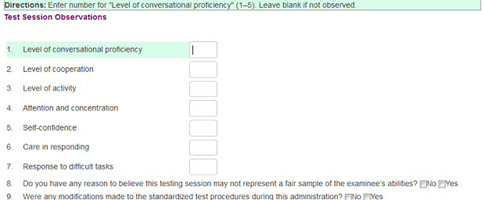
4. (Optional) Enter test observations.
5. Click one of the buttons at the bottom right of the screen:
– Cancel — Exit without saving
– Save — Save the changes you made
– Commit Test Record — Commit the test record
– Run Report — The Create Report page opens. (This button is only active if you have committed the test record) to exit without saving, save or commit the test record, or run a report.
See Also: