To access dashboard reports, you must be designated as a user with reporting privileges or have the role of Teacher, Admin, or Account Holder. Your students must be testing with a CogAT product or with IowaFlex Reading or Mathematics.
1. Sign in to your DataManager account.
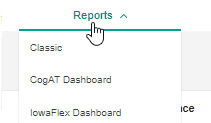
2. Click the Reports menu.
Your drop-down options reflect the products to which your institution has licenses. If you do not see at least one dashboard option, contact your administrator or account holder.
3. Click CogAT Dashboard or IowaFlex Dashboard. If your district or system has purchased both IowaFlex and CogAT, select the dashboard for the product you want to use.
Note: You can select Classic to run traditional DataManager reports. These reports include two recently added Estimated Growth Delay (EGD) reports related to Covid-19 school closures.
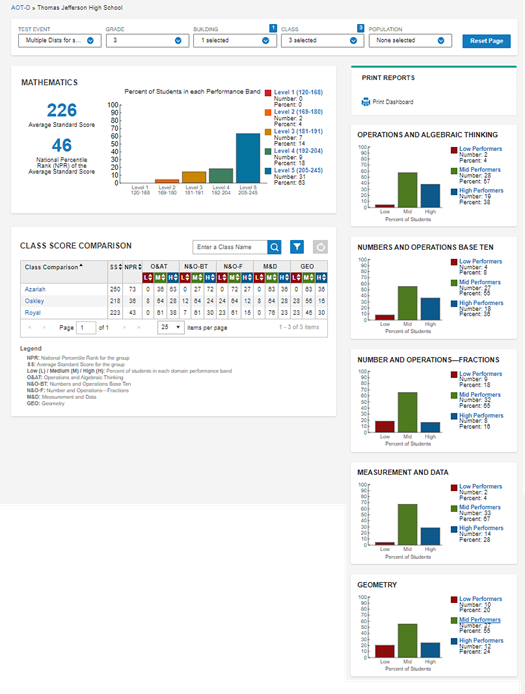
The reports dashboard opens. Depending on your product, role, and grades and dates tested, your dashboard displays varying default values. (See About dashboard reports.)
The example below displays a district-wide IowaFlex Mathematics assessment dashboard with all five domains for the 3rd-grade level selected. Three classes across one school building have students who tested.
Use the table of contents or search function of this online help to find specific information about the IowaFlex or CogAT dashboard.